Tiny Baby Tracker vs Napper
Napper is a sleep app first. It predicts naps and bedtime, plays sleep sounds, and offers a sleep course, but logging feeds and diapers sits behind its paid plan. Tiny Baby Tracker does the opposite: it logs feeds, diapers, sleep, and pumping for free and doesn't predict sleep at all.
If you mostly need a free log of when baby ate, which side, and how many diapers today, Tiny Baby Tracker covers that. If nap timing is the problem you're trying to solve, Napper is built for it.
Which one should you use?
Pick Napper if
your main worry is naps and bedtime, and you want predictions, a daily sleep schedule, sleep sounds, and a sleep course in one app. You'll need a paid plan for most of it.
Pick Tiny Baby Tracker if
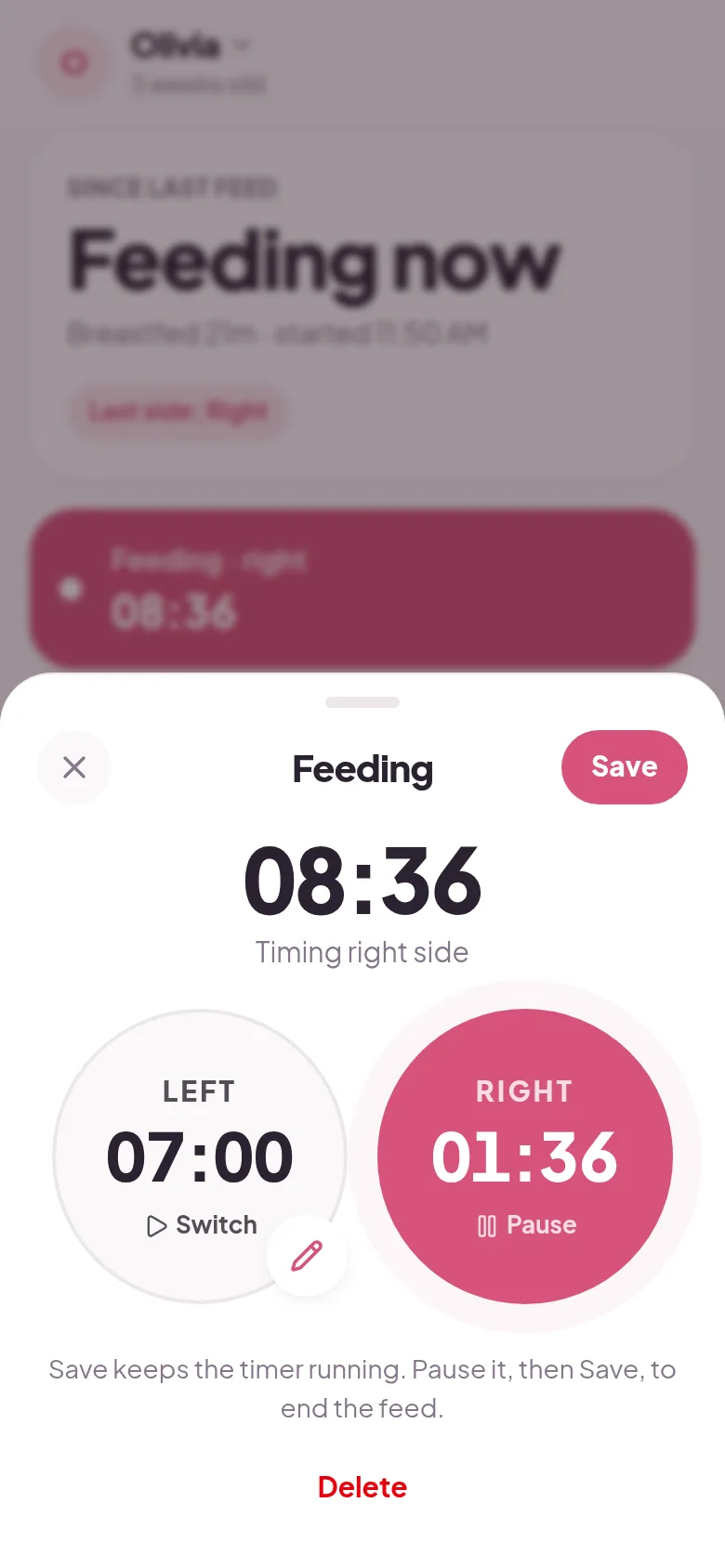
you want to log feeds with a left and right timer, bottles, diapers, pumping, and sleep without paying. Every caregiver gets their own free sign-in, and there is nothing to download.
Is Napper free?
Only the sleep part. Napper's pricing page lists daily sleep tracking and an age-based sleep schedule as free. Everything else is paid, including sleep analysis and personal predictions, sleep sounds, trends, the sleep course, and "unlimited tracking and tracking categories". Several App Store reviews say you can't log a diaper change without paying.
Prices differ between Napper's website and its App Store listing. The website shows Napper Unlimited at $69.99 a year. The App Store lists newer plans at higher prices, starting at $14.99 a month, with yearly options as well.
New users can try the paid plan free for 7 days.
Napper vs Tiny Baby Tracker, side by side
| Napper | Tiny Baby Tracker | |
|---|---|---|
| Price | Free sleep log, paid plans from $14.99/mo (App Store) | Free |
| Free trial | 7 days | No trial needed |
| Download | App Store or Google Play | None, opens in your browser |
| Sleep tracking | Yes, free | Yes, timer or add it later |
| Feeds, diapers, and pumping | Paid plan | Yes, free |
| Nap and bedtime predictions | Age-based schedule free, personal predictions paid | No |
| Sleep sounds and sleep course | Paid plan | No |
| Caregiver sharing | Unlimited caregivers share one subscription | Free, everyone gets their own sign-in |
| Apple Watch and widgets | Yes | No |
| AI assistant | Yes | No |
| Export your log | Not in the app, per user reports | CSV or backup file |
Napper prices and features are from its website, pricing page, privacy policy, and App Store and Google Play listings, checked October 2026.
What Napper does better
Nap and bedtime predictions
Napper learns from your logged sleep and suggests when the next nap and bedtime should be. Many App Store reviews call the timing spot on. Personal predictions need a paid plan; free users get a schedule based on age.
Sleep sounds and a sleep course
Paid plans include more than 30 sleep sounds, like white noise, lullabies, and heartbeat, plus a baby sleep course. Tiny Baby Tracker has neither.
Phone and watch extras
Napper has an Apple Watch app, home screen widgets, and next nap times in Spotlight on newer iPhones. Tiny Baby Tracker runs in your browser and doesn't have any of these.
A polished look
Reviews often praise how Napper looks and feels. It also has an AI assistant and more charts on the paid plan.
What Tiny Baby Tracker does better
Feeds and diapers are free
Tiny Baby Tracker logs breastfeeds with a left and right timer, bottles, combo feeds, solids, pumping, and diapers with color and consistency, all free. In Napper, those categories are on the paid plan.
Easy to fix a feed
Some Napper reviews say editing a nursing timer is hard. In Tiny Baby Tracker you can pause a feed, resume a saved one, or type the minutes and seconds for each side.
A report and an export
Print or save a PDF of daily totals for the last 7 or 14 days, or export every entry as a CSV spreadsheet. Napper users report that the app has no way to export your data.
Nothing to download
It opens in Safari or Chrome. Add it to your home screen and it works like an app, even with no signal. Each caregiver joins with their own email from an invite link, with no limit.
Questions about Napper and Tiny Baby Tracker
Is there a free alternative to Napper?
Yes, for tracking. Tiny Baby Tracker is free and logs feeds, bottles, diapers, sleep, pumping, and solids. It doesn't predict naps, so if predictions are what you want, Napper's paid plan is the thing to compare.
Can I log feeds and diapers in Napper for free?
Napper's free version covers daily sleep tracking and an age-based schedule. Its pricing page puts other tracking categories on the paid plan, and several App Store reviews say diaper logging needs a subscription.
Can I share Napper with my partner?
Yes. Napper says you can share your baby, and your subscription, with as many caregivers as you need. Tiny Baby Tracker also has no caregiver limit, and each person signs in with their own email for free.
Can I export my Napper data?
Not from inside the app, according to user reviews. Napper's privacy policy says you can ask for your data by email. Tiny Baby Tracker can only import from Nara Baby, so a Napper log can't be moved over. Tiny Baby Tracker can export its own log as a CSV anytime.
Does Tiny Baby Tracker predict naps like Napper?
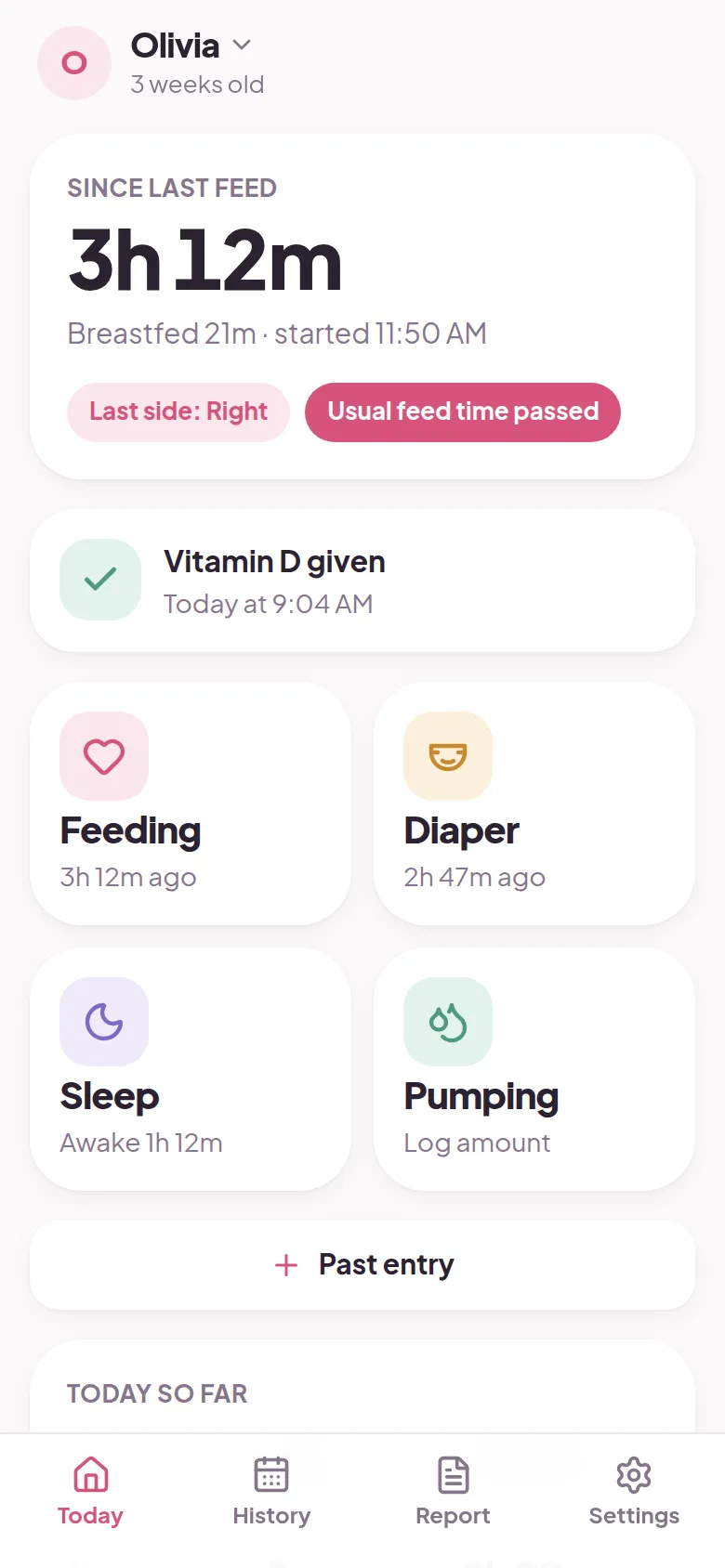
No. It shows how long it's been since the last feed and when the next feed usually comes, based on the last three days. It doesn't predict sleep or build a nap schedule.
Is Napper on Android and Apple Watch?
Yes. Napper is on iPhone, Android, and Apple Watch. Tiny Baby Tracker works in the browser on any phone or computer, but it doesn't have a watch app.
Other apps parents compare
Still deciding? See how Tiny Baby Tracker stacks up against Huckleberry and Baby Daybook, or read every baby tracker app comparison in one place. Weighing more than two apps? Here are the best Napper alternatives, free and paid.
Try it on tonight's feeds
Sign in with your email and log your first feed in under a minute. Share it with your partner from Settings.
Start tracking free